
Nav Preview
  • Amazon FBA Reimbursements: How to Recover Lost or Damaged Inventory Costs in 2026

    Inventory goes missing on Amazon more often than most sellers realize.

    A shipment arrives short. A returned item never reaches your inventory. A product gets damaged inside a fulfillment center. Small losses, maybe. Until they start adding up.

    That’s where Amazon FBA reimbursements come in. They help sellers recover money for the inventory Amazon loses, damages, or mishandles.Β 

    In 2026, understanding Amazon’s reimbursement process isn’t optional anymore. It’s part of protecting your margins.

    This guide explains what qualifies for reimbursement, how claims work, recent policy changes, and how sellers can recover money they’re often leaving behind.

    Ecommerce ROAS
    Google Ads ROAS
    Amazon ROAS

    Amazon ACoS Strategies

    PPC Performance

    Higher ROAS

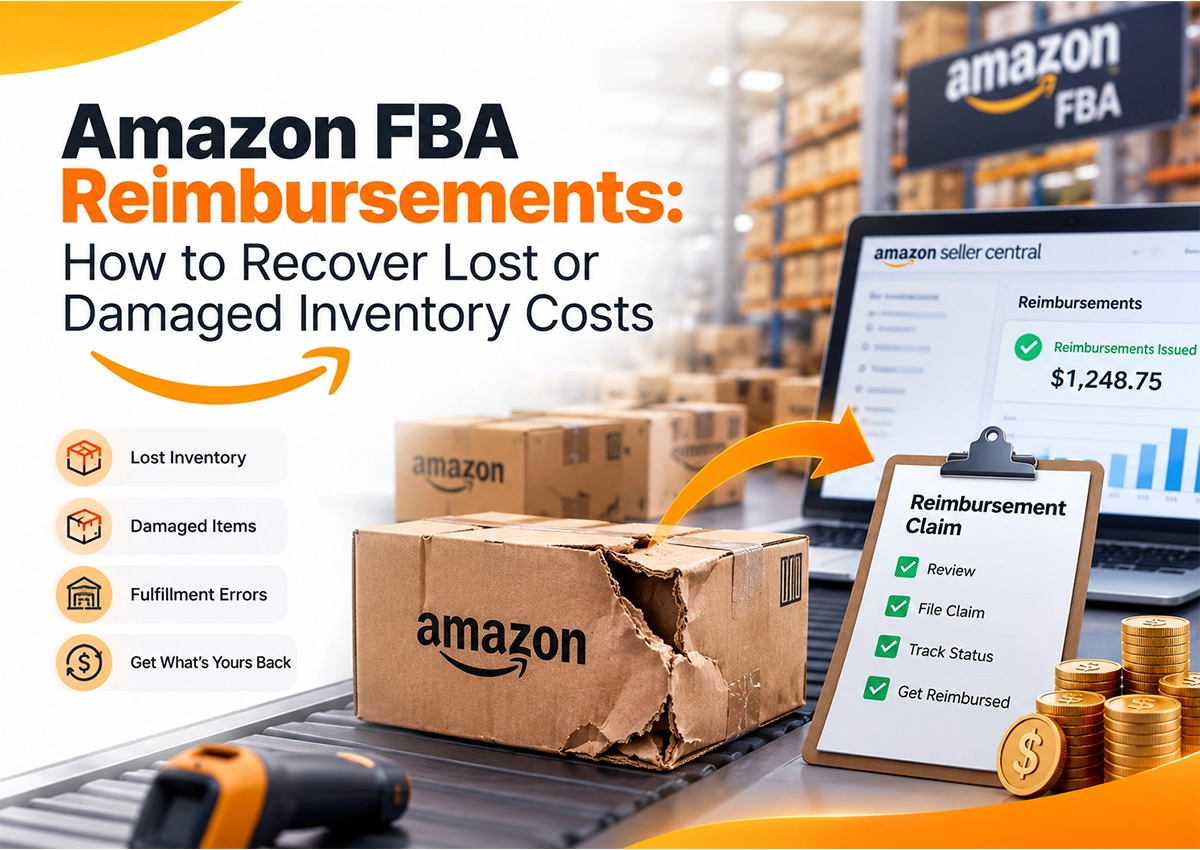
    Infographic on Amazon FBA reimbursements showing how to recover costs from lost inventory, damaged items, and fulfillment errors through the Amazon Seller Central reimbursement claim process

    Summary

    Amazon FBA reimbursements help sellers recover eligible costs when inventory is lost, damaged, destroyed, or mishandled while it’s under Amazon’s responsibility. However, not every reimbursement is issued automatically.

    Today’s reimbursement process requires better documentation, regular account audits, and timely claims. Sellers who actively monitor reimbursement reports often recover revenue that would otherwise be written off as inventory shrinkage.

    Key Takeaways

    Recover Lost Inventory Before It Becomes Lost Revenue

    Missing inventory often turns into missed profit if reimbursement opportunities aren’t tracked.

    Not Every Amazon Reimbursement Is Automatic

    Many reimbursement cases still require sellers to identify discrepancies and submit supporting claims.

    Documentation Drives Successful Claims

    Manufacturing costs, shipment records, and inventory reports help support eligible reimbursement claims.

    Regular Audits Improve Profitability

    Routine reimbursement reviews help uncover inventory losses, fee errors, and unresolved return issues before claim windows expire.

    What Are Amazon FBA Reimbursements and Why Do They Matter More in 2026?

    Think of Amazon FBA reimbursements as money your business has already earned but hasn’t received yet.

    • You send inventory to Amazon.Β 
    • Amazon stores it, ships it, processes returns, and manages fulfillment.Β 
    • Somewhere in that journey, inventory can disappear.Β 
    • Units get lost while receiving shipments.Β 
    • Products are damaged inside fulfillment centers.Β 
    • Customer returns never make it back into sellable inventory.Β 
    • Sometimes Amazon even overcharges fulfillment or storage fees.

    If Amazon is responsible, sellers may qualify for an Amazon reimbursement.

    The catch? Many sellers assume Amazon catches every error automatically; it doesn’t.Β 

    While Amazon now issues proactive reimbursements for several warehouse-related losses, many shipment discrepancies, return issues, removal orders, and valuation disputes still require manual review and a valid Amazon reimbursement claim.

    That’s exactly why Amazon reimbursement services have become an important part of FBA account management in 2026.

    Expert Observation

    One pattern we repeatedly see at Krolog is sellers focusing on PPC, listings, and rankings while ignoring reimbursement reports. Meanwhile, recoverable revenue quietly sits inside Seller Central for weeks or even months.

    A Real Seller Scenario

    Imagine you ship 300 cutting boards to Amazon.

    Amazon receives only 296 units. Four units never appear in inventory. No automatic reimbursement arrives.

    If nobody checks the shipment discrepancy within Amazon’s claim window, that inventory loss becomes permanent. A simple reimbursement audit could have recovered that amount.

    Why Do Amazon Sellers Miss Thousands in FBA Reimbursements Every Year?

    Amazon doesn’t intentionally keep your money. But it also doesn’t always hand it back unless you claim it.

    Every month, Seller Central records inventory discrepancies across shipments, returns, warehouse transfers, removals, and damaged inventory. Some reimbursements happen automatically. Others quietly expire because no one files a claim within the eligibility window.

    We’ve seen brands lose hundreds of dollars. We’ve also seen seven-figure sellers recover thousands through a simple reimbursement audit.

    The difference wasn’t sales volume; it was visibility. The sellers recovering money weren’t selling more products; they were watching the right reports.Β 

    • Inventory LedgerΒ 
    • Reimbursements
    • Returns.Β 
    • Small discrepancies showed up early, claims got filed on time, and lost inventory turned back into recovered revenue.

    The Biggest Reasons Amazon Reimbursements Go Unclaimed

    Sellers usually miss reimbursements because they assume Amazon has already reconciled everything, which is rarely the case.

    1. Amazon Doesn’t Automatically Catch Every Inventory Issue

    Amazon automatically reimburses many inventory losses inside fulfillment centers. However, shipment discrepancies, damaged returns, removal order issues, disposal mistakes, and valuation disputes may still require manual investigation or seller action.

    2. Most Sellers Never Audit Inventory Reports

    Seller Central already tells you when something doesn’t add up. The problem? Most sellers never look.

    Inventory Ledger, Reimbursements, Returns, and Shipment reports often show missing units, damaged inventory, or receiving discrepancies. If you don’t review them regularly, those issues stay unnoticed until the reimbursement claim window closes and money gets left behind.

    3. Claim Windows Close Faster Than You Think

    Since Amazon updated its reimbursement policy, sellers have much shorter windows to file eligible claims. Lost or damaged inventory claims must be submitted within 60 days, customer return claims between 45–105 days, and removal-related claims have their own eligibility windows depending on whether inventory was lost or damaged. Missing these deadlines can mean permanently losing reimbursement eligibility.

    Expert Observation

    At Krolog, reimbursement audits often uncover issues sellers never noticed because they were focused on PPC performance, listing optimization, or inventory forecasting.Β 

    Meanwhile, recoverable revenue stayed buried inside operational reports.

    Is Amazon Owing You Money?

    Let our Amazon experts identify missed reimbursement opportunities and help you recover eligible funds.

    What Types of Amazon FBA Reimbursements Can Sellers Claim?

    Not every reimbursement looks the same. Understanding each Amazon reimbursement type helps sellers know where money is slipping through the cracks.

    Let’s break down the most common reimbursement claims.

    1. Lost Inventory Reimbursements Recover Missing Warehouse Units

    This is one of the most frequent Amazon FBA reimbursement cases.

    Imagine shipping 500 units to Amazon. Seller Central shows only 492 received. Those missing eight units may qualify for reimbursement if Amazon cannot locate them after investigation.

    Watch for:

    • Missing inbound shipment units.
    • Inventory lost during warehouse transfers.
    • Units marked “missing” after fulfillment processing.

    2. Damaged Inventory Reimbursements Cover Warehouse Damage

    Products don’t always leave fulfillment centers in sellable condition. Items may be damaged while being stored, picked, packed, or transferred between warehouses. If Amazon is responsible, sellers can file an Amazon reimbursement claim for eligible units. Common examples include:

    • Broken packaging
    • Cracked products
    • Liquid leakage
    • Warehouse handling damage

    3. Customer Return Reimbursements Are Often Overlooked

    Returns create one of the biggest reimbursement gaps.

    Customers receive refunds, but sometimes inventory never returns, or comes back damaged and isn’t properly reimbursed.

    Many sellers never compare customer return reports against inventory adjustments, leaving reimbursement opportunities untouched.

    Expert Observation

    Return reimbursement audits regularly reveal inventory marked “customer damaged” even when Amazon accepted responsibility. Those cases deserve another look before the claim window expires.

    Β 

    4. Shipment Discrepancies Can Affect Every Inbound Delivery

    Amazon’s receiving process isn’t perfect. Boxes arrive, and sometimes quantities don’t match shipment plans, as inventory may get misplaced during receiving.

    If shipped quantities differ from received quantities after Amazon completes reconciliation, sellers may qualify for a reimbursement claim Amazon supports through shipment investigation.

    How Do You File an Amazon Reimbursement Claim Successfully?

    Filing an Amazon reimbursement claim isn’t just about opening a case in Seller Central. Timing matters just as much as documentation. Amazon allows different claim windows for different reimbursement scenarios, so knowing the deadline is the first step toward recovering eligible inventory costs.

    What Are the Amazon FBA Reimbursement Claim Deadlines in 2026?

    Before submitting a claim, make sure your inventory issue falls within Amazon’s eligibility window. Missing these deadlines can mean losing reimbursement eligibility altogether.

    Amazon Reimbursement Type Claim Window
    Lost or damaged inventory Within 60 days after Amazon reports the item as lost or damaged.
    Customer returns reimbursement 45–105 days after the customer refund or replacement date.
    Lost removal orders 15–135 days from the removal shipment creation date.
    Damaged removal orders Within 120 days from the removal shipment delivery date.
    Re-evaluation requests Within 90 days of Amazon’s initial reimbursement decision.

    These timelines apply to most Amazon FBA reimbursement scenarios under Amazon’s current reimbursement policy, making regular inventory audits even more important for FBA sellers.

    How to File an Amazon Reimbursement Claim Step by Step

    Filing an Amazon reimbursement claim is straightforward when you follow the right process. The key is to identify the inventory issue early, gather supporting documents, submit the claim within Amazon’s eligibility window, and monitor the case until it’s resolved. A structured approach helps reduce delays and improves the chances of recovering eligible Amazon FBA reimbursements.

    Step 1: Identify the Inventory Defect

    Review Inventory Ledger, FBA Inventory Adjustments, Received Inventory, Customer Returns, and Reimbursements reports to identify discrepancies.

    Step 2: Gather Supporting Evidence

    Keep shipment IDs, proof of delivery, invoices, manufacturing costs, removal records, and inventory reports ready before submitting a claim.

    Step 3: Submit the Claim in Seller Central

    Open a case through Seller Central with clear evidence, shipment details, affected ASINs, quantities, and the reimbursement amount requested.

    Step 4: Track Claim Status

    Don’t stop after submission.

    Monitor reimbursement cases until Amazon approves, denies, or requests additional documentation. Sellers often recover claims after providing missing supporting records.

    Practical Tip from Krolog

    Create a weekly reimbursement review alongside PPC and inventory checks. A 20-minute audit can identify missing inventory before reimbursement windows expire, and that’s often easier than recovering expired claims later.

    How Have Amazon's 2025 - 2026 Reimbursement Policy Changes Affected FBA Sellers?

    Amazon quietly changed one of the biggest reimbursement rules in 2025. Before that, reimbursements were often calculated using the product’s selling price. Today, Amazon primarily uses the manufacturing cost of the item when calculating eligible Amazon FBA reimbursements.

    That’s a big shift. Especially for private-label brands with healthy margins.

    If you don’t provide manufacturing cost information, Amazon may estimate it, and those estimates aren’t always in the seller’s favor.Β 

    That’s exactly why reimbursement management looks very different in 2026.

    What’s Changed for Amazon FBA Reimbursements?

    The takeaway is simple: Better documentation usually leads to better reimbursement accuracy.

    Should You File Amazon Reimbursement Claims Manually or Use Amazon Reimbursement Services?

    This completely depends on how often you’re auditing your account.

    A seller with five SKUs may be able to manage reimbursements manually.Β 

    A brand with hundreds of SKUs across multiple fulfillment centers? Outsourcing reimbursement services is usually the smarter option for them.Β 

    Manual Amazon Reimbursement Claims Work Best When:

    • You have a smaller product catalog.
    • Inventory movement is easy to track.
    • You review reimbursement reports every week.
    • You have time to follow up on Seller Central cases.

    Amazon Reimbursement Services Save Time as You Scale

    An Amazon reimbursement service continuously reviews inventory reports, shipment discrepancies, returns, removals, and reimbursement history to identify missed opportunities before claim deadlines expire.

    Instead of checking reports one by one, sellers get a structured reimbursement audit and claim tracking process.

    Expert Observation

    At Krolog, reimbursement reviews are part of Amazon account management, and not a separate task. Every inventory discrepancy is checked alongside shipment reports, returns, and reimbursement history because missed reimbursements directly affect profit margins.

    Is Amazon Owing You Money?

    Let our Amazon experts identify missed reimbursement opportunities and help you recover eligible funds.

    What Is the Best Amazon Reimbursement Service for FBA Sellers?

    The best Amazon reimbursement service isn’t necessarily the one that files the most claims. It’s the one that finds the claims sellers never knew existed.

    A reliable Amazon reimbursement specialist should help sellers:

    • Audit reimbursement reports regularly.
    • Track lost and damaged inventory.
    • Verify shipment discrepancies.
    • Review customer return reimbursements.
    • Validate reimbursement values against inventory records.

    More importantly, the process shouldn’t stop after submitting a claim. Claims need tracking, follow-ups, and documentation whenever Amazon requests additional evidence.

    Can Amazon Reimbursement Tools Replace Manual Audits?

    Not completely; an Amazon reimbursement tool can scan reports faster than a person. It can identify missing inventory, reimbursement gaps, fee discrepancies, and return issues across thousands of transactions.

    However, tools don’t always understand context. For example, they may flag an inventory discrepancy that Amazon already resolved or miss a reimbursement dispute that needs supporting invoices.

    Manual Review vs Amazon Reimbursement Tool

    The strongest approach combines automation with expert review.

    Common Amazon Reimbursement Mistakes That Cost Sellers Money

    Most sellers lose reimbursement opportunities because they’re busy managing ads, listings, inventory, and orders. Meanwhile, small discrepancies keep piling up inside Seller Central until the claim window closes.

    Here are the mistakes we see most often.

    1. Waiting Too Long to Review Inventory: A shipment goes missing today. You notice it three months later; that’s usually too late. Make reimbursement audits part of your weekly account routine, not an end-of-quarter task.

    2. Assuming Amazon Automatically Reimburses Everything: This is probably the biggest misconception. Amazon proactively reimburses many warehouse-related losses. However, shipment discrepancies, customer return issues, removal orders, damaged inventory, and valuation disputes may still need manual review and an Amazon reimbursement claim.

    3. Ignoring Manufacturing Cost Records: Since reimbursement values now rely heavily on manufacturing costs, incomplete or outdated records can result in lower reimbursements than expected.

    Keep supplier invoices and manufacturing cost documentation updated inside Seller Central whenever possible.

    4. Never Reconciling Customer Returns: A customer receives a refund, but the item never returns to inventory. If sellers don’t compare return reports with inventory adjustments, those losses often remain unnoticed.

    Expert Observation

    At Krolog, reimbursement audits are scheduled alongside inventory and PPC reviews. It’s a simple habit, but it prevents missed claims from becoming permanent losses.

    Emerging Trends Are Changing Amazon FBA Reimbursements in 2026

    Amazon’s reimbursement system is becoming more automated. This also implies sellers need better operational visibility.

    1. Automation Is Increasing, But Oversight Still Matters: Amazon automatically processes many reimbursement cases. Even so, automation doesn’t eliminate reporting errors or valuation disputes. Sellers still need to verify reimbursement reports against inventory activity.
    2. AI Is Improving Inventory Reconciliation: Seller tools increasingly use AI to identify missing inventory, fee discrepancies, and reimbursement opportunities faster than manual audits. Instead of scanning thousands of transactions, sellers can prioritize cases that need investigation.
    3. Profitability Starts with Operational Accuracy: Winning on Amazon isn’t only about increasing sales anymore. Protecting existing revenue matters just as much. Every recovered reimbursement improves margins without generating a single additional order.

    Final Verdict

    Every Amazon seller focuses on growth.Β 

    Amazon FBA reimbursements aren’t extra income; they’re money tied to inventory Amazon was responsible for.

    Lost units, damaged products, shipment discrepancies, and unresolved returns can quietly reduce profitability if they go unchecked.

    The smartest sellers don’t wait for reimbursement notifications. They audit inventory regularly, track reimbursement reports, maintain manufacturing cost records, and file eligible claims before deadlines expire.

    That’s where strategy makes the difference.

    At Krolog, we combine inventory reconciliation with ongoing Amazon reimbursement services to help brands identify missed reimbursement opportunities, validate claims, and recover eligible revenue before it’s lost for good.

    Frequently Asked Questions

    About the Author

    Sandeep K, Founder & CEO of Krolog, is an Amazon marketplace consultant with over 10 years of experience in Amazon SEO, PPC, inventory management, and marketplace growth.Β 
    He has helped brands improve profitability through data-driven Amazon account management and operational optimization.

    Need Help Recovering Missed Amazon FBA Reimbursements?

    Missed reimbursements often hide inside Seller Central reports until it’s too late. Krolog helps Amazon brands audit inventory, identify eligible reimbursement claims, and recover lost revenue before claim windows expire.

    Request a free Amazon reimbursement audit and discover reimbursement opportunities your account may be missing.


    Related Article

    Amazon FBA Reimbursements: How to Recover Lost or Damaged Inventory Costs in 2026

    Amazon FBA Reimbursements: How to Recover Lost or Damaged Inventory Costs in 2026

    Amazon FBA Reimbursements: How to Recover Lost or Damaged Inventory Costs in 2026 Inventory goes missing on Amazon more often…

    What Do Amazon Consulting Services Actually Include? A Breakdown for Sellers

    What Do Amazon Consulting Services Actually Include? A Breakdown for Sellers

    What Do Amazon Consulting Services Actually Include? A Breakdown for Sellers Selling on Amazon isn’t as simple anymore. Competition is…

    Shopify Store Speed Optimization: Why It Matters for Conversions in 2026

    Shopify Store Speed Optimization: Why It Matters for Conversions in 2026

    Shopify Store Speed Optimization: Why It Matters for Conversions in 2026 Shopify store speed optimization is no longer just a…

    Scroll to Top