
Nav Preview
  • Amazon Listing Not Showing Up? 12 Expert Fixes to Restore Visibility in 2026

    Amazon Listing Not Showing Up? 12 Expert Fixes to Restore Visibility in 2026

    Amazon Listing Not Showing Up? 12 Expert Fixes to Restore Visibility in 2026

    Nothing is more frustrating than searching for your own product and seeing,Β 

    “There are no results for your search.”

    Or worse, discovering your product has suddenly disappeared from Amazon search altogether.

    Whether your Amazon listing is suppressed, hidden from search results, missing images, or simply not ranking where it should, the underlying issue usually isn’t random.Β 

    Amazon’s marketplace has become significantly more sophisticated in 2026. Product visibility now depends on listing quality, compliance, inventory health, pricing, customer experience signals, and increasingly, Amazon SEO best practices.

    Fortunately, most visibility issues can be diagnosed and fixed.

    In this guide, we’ll explain the 12 most common reasons Amazon listings disappear from search, how to restore visibility quickly, and what proactive steps sellers should take to avoid future suppression.

    Amazon SEO
    Amazon Listing
    Listing Recovery

    Amazon ACoS Strategies

    PPC Performance

    Higher ROAS

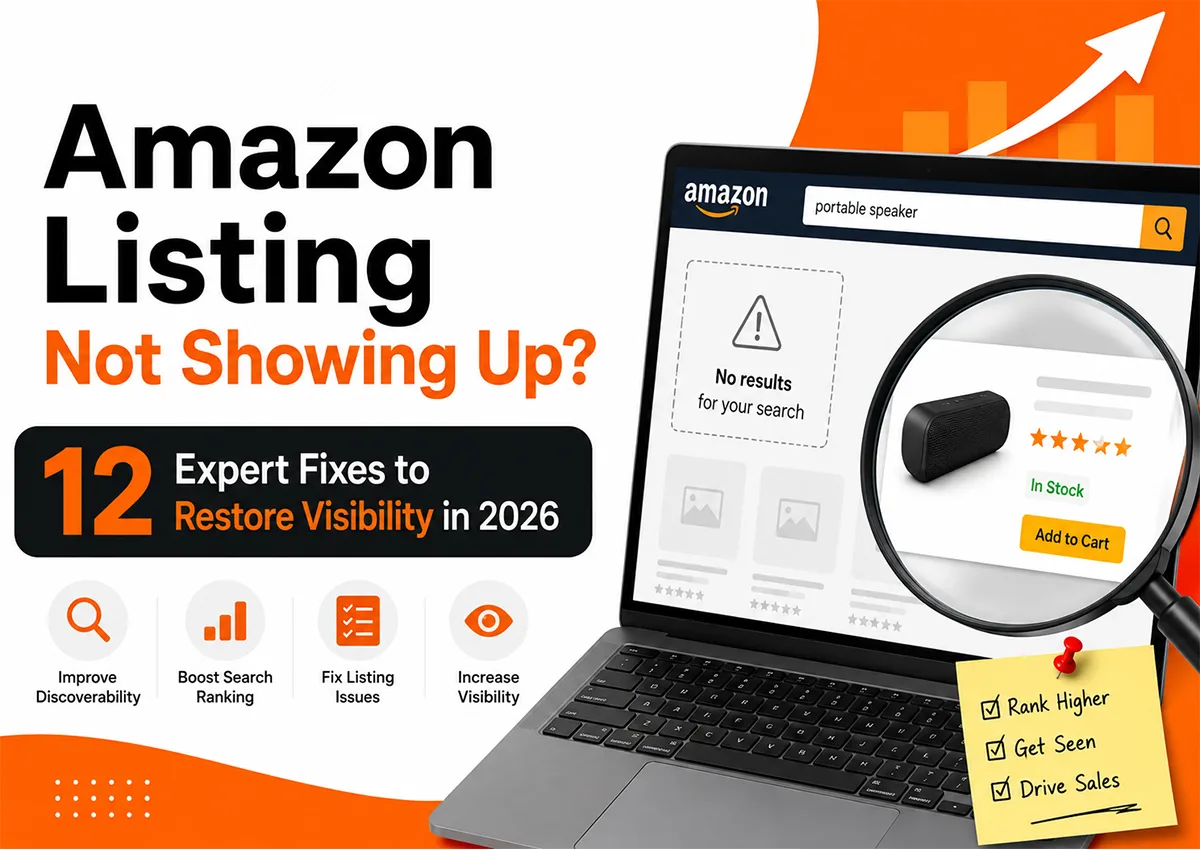
    Amazon listing not showing up? Infographic highlighting 12 expert fixes to restore Amazon product visibility, improve search rankings, resolve listing issues, and increase sales in 2026.

    Summary

    Amazon listings rarely disappear without a reason. Most visibility issues stem from suppressed listings, indexing problems, policy violations, poor listing optimization, pricing conflicts, inventory outages, or weak Amazon SEO.

    Understanding how Amazon evaluates listings allows sellers to resolve problems faster while building stronger long-term visibility. Rather than reacting after traffic disappears, successful brands continuously monitor listing health, optimize content, and address issues before they affect sales.

    Key Takeaways

    Suppressed Listings Are Fixable

    Most Amazon suppressed listings can be restored by correcting missing attributes, policy violations, or compliance issues.

    Amazon SEO Drives Visibility

    Strong Amazon SEO and optimized listings improve indexing, rankings, and discoverability across search results.

    Visibility Depends on Multiple Signals

    Pricing, inventory, images, listing quality, customer experience, and account health all influence Amazon visibility.

    Prevention Is Easier Than Recovery

    Regular audits help brands identify problems before listings disappear from Amazon search.

    Why Is My Amazon Listing Not Showing Up?

    This is one of the most common questions Amazon sellers ask. Often, sellers assume Amazon has “removed” their listing.Β 

    In reality, Amazon usually hasn’t removed it at all. Instead, the listing may be:

    • Suppressed from search.
    • Not indexed for important keywords.
    • Temporarily inactive.
    • Hidden due to inventory issues.
    • Affected by pricing violations.
    • Missing required product information.
    • Restricted because of policy compliance.

    Accordingly, the first step is diagnosis. An experienced Amazon consultant rarely starts by editing keywords. Instead, they systematically evaluate every factor affecting visibility before making changes.

    Entity Overview

    Category : Amazon Listing Visibility

    Category Type : Amazon Marketplace Optimization

    Related Entities :Β Amazon Seller Central, Amazon SEO, Amazon Listing Optimization, Amazon Listing Quality Dashboard, Amazon Search Suppression, Amazon Catalog Management, Amazon Brand Registry, Amazon FBA, Amazon Search Algorithm, Amazon Rufus AI

    Common Synonyms : Amazon listing not showing, Amazon suppressed listing, Amazon listing suppressed, Amazon product not appearing in search, Amazon search visibility, Amazon indexing issues, Amazon listing hidden

    Primary Metrics : Search Visibility, Keyword Indexing, Organic Ranking, Click-Through Rate (CTR), Conversion Rate (CVR), Impressions, Sessions, Listing Quality Score, Buy Box Percentage

    What Does "Search Suppressed" Mean on Amazon?

    Many sellers encounter the message: “Search Suppressed.”

    But few fully understand what it means.

    A suppressed listing remains inside Amazon’s catalog, yet Amazon intentionally removes it from search results because required information is incomplete or violates listing standards.

    This differs from a deleted listing.

    Customers cannot easily discover the product through Amazon search, although direct links may still work.

    Common causes include:

    • Missing main images
    • Missing product titles
    • Invalid product attributes
    • Incorrect category assignments
    • Policy violations
    • Incomplete mandatory fields

    Fortunately, Amazon usually highlights these issues inside Seller Central’s Listing Quality Dashboard, making them relatively straightforward to fix.

    Expert Observation

    One pattern we consistently notice at Krolog is that sellers often focus on keywords when visibility drops.

    However, keyword optimization rarely solves a suppressed listing.

    In fact, we’ve restored numerous listings simply by correcting image compliance, completing missing attributes, or resolving inventory errors, without changing a single keyword.

    Visibility problems are often operational before they become SEO problems.

    Why Amazon Search Results Sometimes Have No Product Images?

    Another confusing issue occurs when sellers notice:

    “Amazon search results have no pictures.”

    Although this appears to be a technical bug, it usually indicates image processing delays or listing compliance issues.

    Amazon may temporarily hide product images because:

    • Images don’t meet minimum resolution requirements.
    • The main image violates Amazon guidelines.
    • Processing is still underway after an upload.
    • Image files failed validation.
    • Catalog synchronization hasn’t completed.

    Consequently, even if the listing remains active, poor image compliance can reduce both visibility and click-through rate.

    Professional Amazon listing optimization always includes verifying image compliance alongside keyword optimization.

    Why Your Amazon Listing Isn't Indexed (Fix #1)

    Sometimes your listing is active, yet it never appears for the keywords you’re targeting.

    This is an indexing problem, not necessarily a ranking problem.

    If Amazon hasn’t indexed your product for important search terms, customers simply won’t find it, even if your listing is technically live. Accordingly, many sellers mistake poor indexing for poor Amazon visibility.

    Common reasons include:

    • Primary keywords missing from the title.
    • Weak keyword placement in bullet points and descriptions.
    • Missing backend search terms.
    • Recently created listings still processing.
    • Catalog synchronization delays.

    How to Fix It

    • Verify indexing by searching your ASIN together with your target keyword.
    • Naturally incorporate primary keywords into the title, bullets, and product description.
    • Complete backend search terms without repeating visible keywords.
    • Wait 24–72 hours after major listing edits before reassessing indexing.
    • Regularly audit listings as part of your Amazon listing optimization strategy.

    Expert Observation

    Many sellers continuously rewrite listings, hoping to improve rankings. Ironically, frequent edits can delay indexing. At Krolog, we recommend allowing sufficient time for Amazon’s catalog to process major content updates before making additional changes.

    Is Your Amazon Listing Suppressed? (Fix #2)

    An Amazon suppressed listing is one of the most common reasons products disappear from search.

    Unlike inactive listings, suppressed listings remain in your catalog but lose visibility because mandatory information is incomplete or violates Amazon’s listing requirements.

    Common Suppression Triggers

    • Missing or non-compliant main images.
    • Incomplete titles.
    • Missing required attributes.
    • Invalid variations.
    • Incorrect product category information.
    • Policy compliance issues.

    How to Fix It

    • Open the Listing Quality Dashboard in Seller Central.
    • Review every suppression notification.
    • Complete all mandatory fields immediately.
    • Replace non-compliant images.
    • Save updates and allow Amazon to refresh the listing.

    Practical Example

    A home organization brand experienced a sudden 60% traffic drop. The issue wasn’t PPC or rankings; the main image had been removed during a catalog update, triggering an Amazon listing suppression notification. After the image was replaced, visibility returned within 24 hours.

    Inventory Issues Can Remove Your Listing from Search (Fix #3)

    Many sellers underestimate the relationship between inventory and Amazon visibility.

    If inventory reaches zero, Amazon may temporarily remove or significantly reduce your listing’s search presence.

    Similarly, inconsistent inventory availability weakens ranking momentum over time.

    Watch for These Problems

    • Out-of-stock inventory.
    • Fulfillment delays.
    • Inbound shipment processing delays.
    • Inventory stranded in fulfillment centers.
    • Long replenishment cycles.

    How to Fix It

    • Maintain consistent stock levels.
    • Monitor Inventory Health reports weekly.
    • Forecast demand before peak seasons.
    • Avoid prolonged stockouts on best-selling ASINs.
    • Build replenishment schedules around sales velocity.

    Expert Observation

    One mistake brands frequently make is assuming rankings automatically return after restocking. In reality, recovering lost visibility often requires rebuilding sales velocity through advertising and optimized listings.

    Want to Improve Your Listing Visibility

    We Turn Listings Into Sales

    Pricing Errors Can Hide Your Products (Fix #4)

    Pricing directly influences Amazon’s algorithm. If your pricing appears significantly higher than competing marketplaces or violates Amazon’s Fair Pricing Policy, visibility may decline.

    Consequently, sellers sometimes believe Amazon search is not working when pricing restrictions are actually limiting discoverability.

    Common Pricing Issues

    • Prices significantly above market value.
    • Incorrect MSRP.
    • Pricing automation errors.
    • Buy Box suppression.
    • Marketplace pricing conflicts.

    How to Fix It

    • Review Fair Pricing alerts inside Seller Central.
    • Compare pricing across marketplaces.
    • Audit automated repricing rules.
    • Maintain competitive pricing while protecting profitability.
    • Monitor Buy Box eligibility regularly.

    Poor Listing Quality Reduces Amazon Visibility (Fix #5)

    Amazon increasingly rewards complete, customer-focused listings.

    Accordingly, weak content can significantly reduce Amazon visibility, even when no suppression exists.

    The Listing Quality Dashboard identifies missing opportunities that directly impact discoverability.

    Improve Listing Quality By

    Remember:

    Good Amazon listing optimization isn’t just about rankings; it improves customer confidence and conversion rates as well.

    Weak Amazon SEO Limits Organic Rankings (Fix #6)

    Many listings remain technically active but receive almost no organic traffic.

    Why?

    Because they haven’t been optimized for today’s search behavior.

    Modern Amazon SEO extends far beyond keyword placement. Amazon now evaluates relevance, customer engagement, conversions, reviews, pricing, and content quality together.

    Strengthen Your Amazon SEO

    • Conduct regular keyword research.
    • Optimize titles without keyword stuffing.
    • Include long-tail search phrases naturally.
    • Refresh backend search terms periodically.
    • Improve click-through rate with stronger images.
    • Increase conversions through better product content.

    Expert Observation

    At Krolog, we’ve found that successful Amazon SEO isn’t about chasing every keyword. Instead, it focuses on aligning listings with genuine customer intent while maintaining excellent catalog quality. Listings that combine relevance, completeness, and strong customer experience consistently outperform keyword-heavy competitors.

    Account Health Can Quietly Reduce Visibility (Fix #7)

    Many sellers focus entirely on listings and keywords while overlooking account health.

    However, poor account performance can indirectly reduce Amazon visibility, even if your listings remain active.

    Amazon prioritizes sellers that consistently deliver a great customer experience. Consequently, increasing order defects, late shipments, or policy violations can negatively influence listing performance over time.

    Monitor These Metrics

    • Order Defect Rate (ODR)
    • Late Shipment Rate
    • Cancellation Rate
    • Valid Tracking Rate
    • Customer Feedback
    • A-to-z Claims

    How to Fix It

    • Review your Account Health Dashboard weekly.
    • Resolve customer issues promptly.
    • Improve fulfillment performance.
    • Respond professionally to negative feedback.
    • Maintain consistent operational standards.

    Expert Observation

    Brands often assume account health matters only when suspension risks appear. In reality, strong operational performance contributes to long-term organic growth.

    Want to Improve Your Listing Visibility

    We Turn Listings Into Sales

    Broken Variations Can Make Products Disappear (Fix #8)

    Variation issues are another overlooked reason listings vanish from search.

    Incorrect parent-child relationships confuse Amazon’s catalog system, making products harder to discover.

    Common variation errors include:

    • Unrelated products grouped together.
    • Incorrect size or color relationships.
    • Broken parent ASINs.
    • Duplicate child listings.
    • Category mismatches.

    How to Fix It

    • Audit variation families regularly.
    • Ensure all child ASINs belong to the correct parent.
    • Remove invalid relationships.
    • Follow Amazon’s latest variation guidelines.
    • Rebuild broken variation structures when necessary.

    Catalog Errors Can Affect Search Visibility (Fix #9)

    Sometimes your listing isn’t the problem. Amazon’s catalog is.

    Product data synchronization issues occasionally prevent listings from displaying correctly in search.

    You may even notice situations where Amazon search results have no pictures, product titles appear incorrectly, or shoppers receive “There are no results for your search.”

    Common Catalog Problems

    • Image processing failures.
    • Title synchronization delays.
    • Incorrect browse nodes.
    • Duplicate catalog records.
    • ASIN merge conflicts.

    How to Fix It

    • Compare your live listing against Seller Central.
    • Submit flat-file updates when necessary.
    • Open a Seller Support case for catalog corrections.
    • Document every catalog change.
    • Monitor updates until fully resolved.

    Missing Images Hurt Both Visibility and Conversions (Fix #10)

    Images influence far more than conversions. Poor or missing images reduce click-through rates, which eventually impact Amazon SEO performance.

    In some cases, image processing failures cause listings to appear without photos, leading sellers to believe Amazon search is not working.

    Best Practices

    • Upload high-resolution images.
    • Follow Amazon image requirements.
    • Use infographics and lifestyle images.
    • Monitor image processing after uploads.
    • Regularly audit image quality across your catalog.

    Remember:

    The first image earns the click. The remaining images earn the sale.

    Policy Violations Can Remove Listings Without Warning (Fix #11)

    Amazon doesn’t always suspend an entire account. Sometimes it quietly removes product visibility until violations are resolved.

    Listings may disappear because of:

    • Restricted claims.
    • Compliance documentation requests.
    • Intellectual property complaints.
    • Safety concerns.
    • Category-specific regulations.

    How to Fix It

    • Check performance notifications daily.
    • Respond to compliance requests immediately.
    • Upload the requested documentation.
    • Remove prohibited claims.
    • Review Amazon policy updates regularly.

    Don't Ignore External Traffic Signals (Fix #12)

    Amazon increasingly rewards products that generate demand beyond the marketplace.

    Accordingly, brands relying exclusively on Amazon search often struggle to maintain growth.

    Driving qualified traffic through external marketing can improve engagement, conversions, and overall Amazon visibility.

    Consider These Channels

    A balanced traffic strategy reduces dependence on organic search alone while strengthening long-term marketplace performance.

    Common Mistakes Sellers Make When Their Amazon Listing Isn't Showing

    When listings disappear, many sellers panic and make changes that actually delay recovery.

    Some of the most common mistakes include:

    • Continuously editing listings every few hours.
    • Ignoring suppression notifications.
    • Focusing only on PPC instead of fixing listing quality.
    • Assuming indexing and ranking are the same.
    • Neglecting inventory health.
    • Overlooking account health metrics.
    • Forgetting backend keywords.
    • Waiting too long to investigate catalog issues.

    Above all, diagnosing the root cause before making changes almost always leads to faster recovery.


    Our Evaluation Methodology

    At Krolog, we don’t diagnose visibility problems based on assumptions. Every listing audit follows a structured evaluation framework that examines:

    • Indexing status
    • Amazon SEO performance
    • Listing Quality Dashboard
    • Suppression status
    • Catalog health
    • Inventory availability
    • Pricing competitiveness
    • Account Health metrics
    • Customer engagement signals
    • External traffic performance

    This comprehensive approach helps identify the real cause of lost visibility instead of treating symptoms.

    Final Verdict

    Amazon listing visibility issues are rarely random.

    In most cases, listings disappear because Amazon detects a compliance problem, indexing issue, inventory disruption, pricing anomaly, or catalog inconsistency.Β 

    Although the symptoms may look similar, the underlying causes often differ significantly.

    The good news is that nearly every visibility issue can be diagnosed and resolved systematically. Whether you’re dealing with an Amazon suppressed listing, indexing problems, missing product images, or declining Amazon visibility, the solution typically lies in a structured audit process combined with strong Amazon SEO and listing optimization practices.

    At Krolog, we’ve helped brands recover suppressed listings, restore keyword indexing, improve search rankings, and rebuild marketplace visibility through data-driven Amazon account management strategies.

    The sooner you identify the cause, the faster you can restore traffic, rankings, and sales.

    Frequently Asked Questions

    About the Author

    Sandeep K., founder and CEO of Krolog Inc., brings over 10 years of experience in Amazon SEO, catalog management, PPC advertising, marketplace optimization, and international ecommerce growth.

    He has helped brands across multiple categories improve Amazon visibility, resolve catalog suppression issues, increase organic rankings, and scale sustainably across global marketplaces.

    Need Help Restoring Your Amazon Visibility?

    If your Amazon listing is not showing up in search, your traffic has suddenly dropped, or you’re struggling with suppression issues, Krolog can help.

    Our team specializes in:

    Request a free Amazon visibility audit today and uncover the exact factors limiting your search performance.

    Related Article

    Amazon Search Algorithm Explained: How It Works & How to Rank Higher in 2026

    Amazon Search Algorithm Explained: How It Works & How to Rank Higher in 2026

    Amazon Search Algorithm Explained: How It Works & How to Rank Higher in 2026 Most Amazon sellers spend months tweaking…

    Amazon Account Suspended? Here’s How to Get It Reinstated Faster in 2026

    Amazon Account Suspended? Here’s How to Get It Reinstated Faster in 2026

    Amazon Account Suspended? Here’s How to Get It Reinstated Faster in 2026 Imagine this scenario, where you are an Amazon…

    Amazon Listing Not Showing Up? 12 Expert Fixes to Restore Visibility in 2026

    Amazon Listing Not Showing Up? 12 Expert Fixes to Restore Visibility in 2026

    Amazon Listing Not Showing Up? 12 Expert Fixes to Restore Visibility in 2026 Nothing is more frustrating than searching for…

    Scroll to Top