
Nav Preview
  • Walmart Seller Center Explained: Overview, Best Practices & Selling Guide

    Walmart Seller Center is where marketplace sellers manage products, orders, inventory, pricing, and performance in one place. It looks straightforward at first. Then the catalog grows, orders pick up, and small setup mistakes start becoming expensive.

    Whether you’re new to Walmart Marketplace or already selling, understanding the Walmart Seller Center can make day-to-day management much easier.

    This guide explains how the platform works, how to create a Walmart seller account, what sellers should monitor, and the practical steps that can help build a stronger Walmart Marketplace business.

    Ecommerce ROAS
    Google Ads ROAS
    Amazon ROAS

    Amazon ACoS Strategies

    PPC Performance

    Higher ROAS

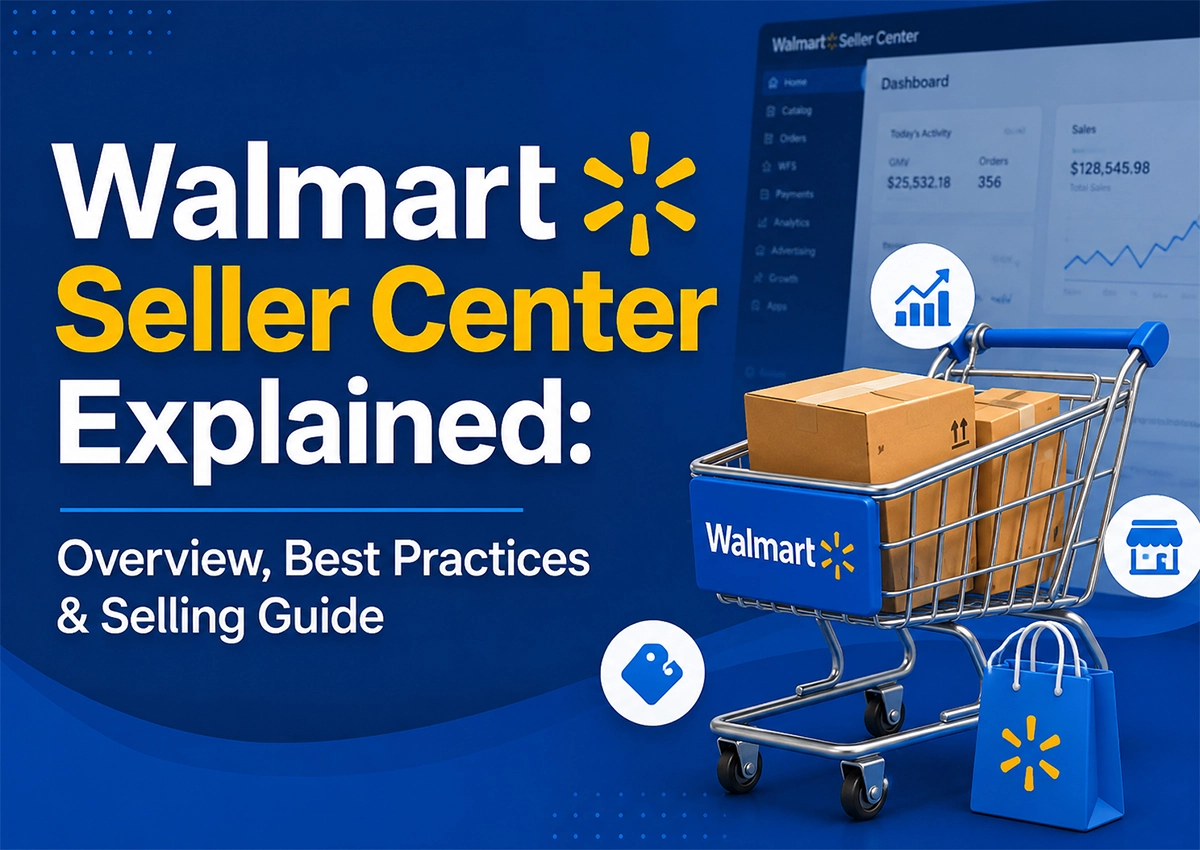
    Walmart Seller Center explained with an overview of best practices and selling guide for ecommerce sellers

    Summary

    Walmart Seller Center is the central platform sellers use to operate their Walmart Marketplace business.

    You can manage listings, inventory, orders, pricing, shipping, returns, performance metrics, and seller support from the platform.

    However, simply creating an account isn’t enough. Product data, fulfillment, pricing, inventory accuracy, and marketplace compliance all influence performance.

    For that reason, sellers should treat Seller Center as an operating system for their Walmart business, not just a place to upload products.

    Key Takeaways

    Seller Center Controls Daily Operations

    From listings to orders, most marketplace activities flow through Walmart Seller Center.

    Account Setup Comes First

    A complete and accurate Walmart Marketplace seller account helps prevent delays later.

    Catalog Quality Matters

    Poor titles, missing attributes, weak images, and incorrect categorization can hurt visibility and conversions.

    Inventory Must Stay Accurate

    Overselling creates customer issues and can affect seller performance.

    Support Is Part of Selling

    Knowing how to use Walmart seller support can save time when listings, orders, or account issues appear.

    Growth Requires More Than Uploading Products

    Strong Walmart performance comes from combining catalog optimization, pricing, advertising, inventory planning, and ongoing analysis.

    What Is Walmart Seller Center and How Does It Work?

    Think of Walmart Seller Center as the control room for your Walmart Marketplace business.

    • You log in.
    • You check orders.
    • You update inventory.
    • You fix a listing.
    • You review performance.

    Then you do it again tomorrow.Β 

    The platform brings these activities together so sellers can manage their Walmart operations without switching between multiple systems.

    At a basic level, Walmart Seller Center helps sellers manage:

    • Product listings
    • Inventory
    • Orders
    • Pricing
    • Shipping
    • Returns
    • Performance metrics
    • Customer-related issues
    • Marketplace compliance
    • Seller support

    As a result, the quality of your Seller Center setup can directly affect how smoothly your marketplace business operates.

    Expert Observation

    At Krolog, we often see sellers focus heavily on getting products live. That’s only the first step.

    A listing can be active and still underperform because the product taxonomy is wrong, attributes are incomplete, inventory isn’t reliable, or pricing isn’t competitive.

    Seller Center gives you the controls; strategy decides how you use them.

    How Do You Create a Walmart Seller Account?

    If you want to become a Walmart seller, you’ll first need to complete Walmart’s seller application and onboarding process.

    The process generally involves providing business information, marketplace details, product information, fulfillment capabilities, and other required documentation.

    Once approved, sellers can proceed with their Walmart Marketplace seller account setup.

    The basic flow looks like this:

    1. Apply to sell on Walmart Marketplace.
    2. Provide business and tax information.
    3. Complete seller verification.
    4. Configure payment details.
    5. Set up shipping and fulfillment information.
    6. Build your catalog.
    7. Review product content.
    8. Publish eligible products.
    9. Start monitoring orders and performance.

    It sounds easy, and the actual account creation isn’t usually the hardest part.

    The bigger challenge comes afterward.

    • Your catalog needs to be accurate.Β 
    • Your inventory needs to stay available.Β 
    • Orders need to ship on time.Β 
    • Product information needs to meet Walmart’s requirements.

    That’s where many new sellers get stuck.

    What Can You Manage Inside Walmart Seller Center?

    Walmart Seller Center covers most of the operational work involved in running a marketplace account.

    1. Product Catalog

    You can add and manage product information, including titles, descriptions, images, attributes, pricing, and inventory.

    For example, a seller listing a stainless-steel water bottle shouldn’t stop at the title. Important product attributes might include:

    • Capacity
    • Material
    • Color
    • Brand
    • Product dimensions
    • Intended use
    • Pack quantity

    The more complete the catalog data, the easier it becomes for shoppers and Walmart’s systems to understand the product.

    2. Orders

    Seller Center lets you monitor incoming orders and fulfillment activity. This becomes particularly important during high-volume periods.

    One missed order can be manageable; repeated fulfillment problems are different.

    3. Inventory

    Inventory management is one of the most useful features of Walmart Seller Center. Sellers can monitor stock levels, orders, and inventory status from one dashboard.

    The important part is keeping that information accurate.

    If you sell through Walmart, Shopify, Amazon, or another channel, inventory needs to sync across platforms. Otherwise, a delay can leave the Seller Center showing stock that has already been sold elsewhere.

    That can lead to overselling, canceled orders, and fulfillment issues.

    So, the Seller Center gives sellers the visibility they need. The real challenge is maintaining accurate, synchronized inventory behind it.

    4. Pricing

    Walmart shoppers compare products quickly; price matters. But the lowest price isn’t always the right strategy.

    A better approach considers:

    • Product cost
    • Marketplace fees
    • Shipping
    • Competitor pricing
    • Advertising costs
    • Margin
    • Promotional discounts

    In other words, optimize for profitable competitiveness, not cheapness.

    Walmart Seller Center vs Walmart Seller Central: What's the Difference?

    This confuses quite often.

    Walmart Seller Center is Walmart’s seller management platform.

    Seller Central is Amazon’s seller management platform: Amazon Seller Central.

    So, when someone searches for “Walmart Seller Central” or “seller central Walmart,” they’re usually referring to Walmart Seller Center.

    The terminology is different; the basic purpose is similar.

    Both platforms allow marketplace sellers to manage important parts of their businesses, including listings, inventory, orders, and performance.

    However, the workflows, policies, interfaces, fulfillment options, and marketplace requirements differ. Therefore, Amazon sellers expanding into Walmart shouldn’t simply copy their Amazon operating model.

    The product data may transfer; the strategy shouldn’t.

    How Much Does It Cost to Sell on Walmart?

    One of the most common questions is: how much does it cost to sell on Walmart?

    The answer depends on the product category, fulfillment model, sales volume, and other marketplace costs.

    Walmart Marketplace generally operates differently from a traditional monthly-store subscription model. Sellers should evaluate the applicable referral fees and any fulfillment, advertising, shipping, return, or operational costs tied to their business model.

    For that reason, don’t calculate profitability using the selling price alone. A product selling for $40 isn’t necessarily profitable at $40.

    Consider:

    Selling Price, Product Cost, Marketplace Fees, Fulfillment, Shipping, and Advertising to derive Contribution Margin

    That number tells you much more.

    Practical Example

    Suppose a product sells for $40.

    After product costs, Walmart fees, fulfillment, shipping, and advertising, only $7 remains.

    Now imagine another product sells for $32 but leaves $10 after all variable costs.

    The second product may actually be the better marketplace opportunity. That’s why Krolog recommends evaluating profit per order, not just revenue.

    What Are the Best Walmart Seller Center Practices?

    The sellers that scale usually aren’t doing one magical thing; they’re consistent with the basics.

    1. Keep Product Data Complete: Don’t leave attributes blank simply because they’re optional. Relevant attributes can improve product understanding and discoverability.

    2. Optimize Product Content: Your title should explain the product clearly, descriptions should answer buyer questions, images should demonstrate the product instead of merely showing it; use natural language, and avoid stuffing keywords into every sentence.

    3. Monitor Inventory Frequently: Inventory problems can escalate quickly. Set up reliable inventory synchronization where possible and establish clear reorder points.

    4. Review Performance Metrics: Don’t wait for sales to drop before checking performance. Review:

    • Orders
    • Cancellations
    • Shipping performance
    • Inventory availability
    • Conversion trends
    • Product-level sales
    • Advertising performance

    Small changes are easier to fix than large declines.

    5. Prepare Before Peak Season: Peak season creates a different operating environment.

    • Demand rises.
    • Competitors become more aggressive.
    • Inventory moves faster.
    • Advertising costs can increase.

    Accordingly, review listings, inventory, pricing, fulfillment capacity, and promotions before peak season arrives.

    Ready to Grow Your Walmart Store?

    Get the right Walmart strategy, optimize your seller account, and build a stronger ecommerce presence.

    How Should Sellers Manage Walmart Listings and Inventory?

    A good Walmart listing isn’t just about adding a title and clicking publish. Start with the product itself; then build the listing around shopper intent.

    For example, instead of writing:

    “Kitchen Storage Container 5L”

    a stronger title might communicate the product’s key differentiators, provided they accurately reflect the product and Walmart’s content requirements.

    Then support the title with:

    • Clear product images
    • Relevant attributes
    • Useful descriptions
    • Accurate dimensions
    • Material information
    • Pack quantity
    • Compatibility details
    • Usage information

    Inventory comes next.

    Your listing can be perfect. But if customers can’t buy the product, none of that matters.

    This is why catalog management and inventory management should work together, not as separate tasks.

    How Can Walmart Seller Support Help Sellers?

    Walmart seller support can become important when sellers encounter account, listing, order, payment, or operational problems. However, support works best when sellers provide clear information.

    Instead of submitting: “My listing isn’t working,” provide:

    • Item ID
    • Specific error
    • Screenshot if relevant
    • What changed
    • When the issue started
    • Steps already attempted

    This gives support a much clearer starting point.

    Krolog Tip

    • Keep a simple issue log.
    • Record the case number.
    • Note the response.
    • Track the next action.

    It sounds boring, but it helps save time later.

    Ready to Grow Your Walmart Store?

    Get the right Walmart strategy, optimize your seller account, and build a stronger ecommerce presence.

    What Are the Most Common Walmart Seller Center Mistakes?

    Even experienced sellers make mistakes. A few show up repeatedly.

    • Copying Amazon Listings Without Reviewing Them: Amazon and Walmart aren’t identical marketplaces. A direct copy can create weak formatting, irrelevant attributes, or poor product positioning.
    • Ignoring Product Attributes: Sellers sometimes focus on titles and descriptions while leaving structured attributes incomplete; that’s a missed opportunity.
    • Treating Inventory as a One-Time Setup: Inventory changes every day. Your Seller Center data should reflect that.
    • Competing Only on Price: Lowering price can increase sales while destroying margin. That isn’t growth.
    • Waiting for Problems to Become Obvious: By the time sales collapse, the underlying issue may have existed for weeks. Regular monitoring catches problems earlier.
    • Uploading a Large Catalog Without Validation: More SKUs aren’t automatically better.
    • A 500-product catalog full of errors creates more work than value. Start clean, then scale.

    How Can You Grow a Walmart Marketplace Business in 2026?

    Walmart Marketplace is becoming increasingly competitive. That changes the playbook.

    Sellers need more than catalog presence; they need operational discipline and marketplace-specific optimization.

    Here are a few areas worth watching.

    1. Smarter Catalog Optimization: Structured product data will continue to become more important as marketplace search becomes more sophisticated.
    2. Retail Media Growth: Walmart advertising can help brands increase product visibility, but campaigns need proper measurement. Don’t judge advertising only by impressions; look at sales, conversion, ROAS, and profitability together.
    3. Omnichannel Commerce: Brands increasingly operate across Amazon, Walmart, Shopify, and other channels. The opportunity is significant; so is the operational complexity: inventory, pricing, content, and promotions need better coordination.
    4. AI-Assisted Shopping: AI is changing how shoppers discover products. Consequently, product content should answer real buyer questions clearly.
    • Feature
    • Benefit
    • Use case
    • Compatibility.
    • Problem solved.Β 

    That’s becoming more important than simply repeating keywords.

    How Can Krolog Help Manage Walmart Marketplace Growth?

    Getting approved is one thing; growing profitably is another.

    Krolog helps brands approach Walmart Marketplace with a more structured strategy. Our support can cover areas such as:

    • Walmart catalog management
    • Product listing optimization
    • Marketplace SEO
    • Walmart advertising
    • Inventory coordination
    • Competitor research
    • Performance analysis
    • Marketplace expansion
    • Ongoing account management

    The goal isn’t simply to put more products online, but to build a Walmart operation that can scale without creating unnecessary operational headaches.

    For brands already selling on Amazon, we can also help adapt existing marketplace assets for Walmart instead of blindly duplicating them.

    Final Verdict

    Walmart Seller Center is more than a seller portal; it’s the operational backbone of a Walmart Marketplace business. Use it properly, and you get better control over listings, orders, inventory, pricing, and performance. Ignore the details and small problems can turn into expensive ones.

    The biggest lesson?

    Don’t treat Walmart as another channel where you simply upload Amazon products; treat it as its own marketplace.

    • Build the catalog properly.
    • Monitor performance.
    • Protect margins.
    • Keep inventory accurate.
    • And optimize based on what Walmart shoppers actually do.

    At Krolog, we combine marketplace strategy, catalog optimization, advertising, and ongoing performance management to help brands build a stronger Walmart presence.

    Ready to grow on Walmart?
    Request a Walmart Marketplace Audit.

    Frequently Asked Questions

    About the Author

    Sandeep K., Founder and CEO of Krolog Inc., is an E-commerce and marketplace consultant with over 10 years of experience in marketplace SEO, PPC, catalog management, inventory planning, and e-commerce growth.

    He has helped brands across multiple categories improve visibility, strengthen marketplace operations, and scale across major e-commerce channels.

    Need Help Growing on Walmart?

    Creating a Walmart seller account is only the beginning. Krolog helps brands manage the next part: catalog optimization, marketplace SEO, advertising, inventory coordination, and ongoing growth strategy.

    Request a Walmart Marketplace Audit and identify the gaps holding your Walmart business back.

    Related Article

    Walmart Seller Center Explained: Overview, Best Practices & Selling Guide

    Walmart Seller Center Explained: Overview, Best Practices & Selling Guide

    Walmart Seller Center Explained: Overview, Best Practices & Selling Guide Walmart Seller Center is where marketplace sellers manage products, orders,…

    How Klaviyo + Shopify Email Flows Drive Repeat Purchases for DTC Brands

    How Klaviyo + Shopify Email Flows Drive Repeat Purchases for DTC Brands

    How Klaviyo + Shopify Email Flows Drive Repeat Purchases for DTC Brands A customer buys once; then silence. That’s where…

    Good ROAS for eCommerce in 2026: Real Benchmarks (And Why the Old β€œ4:1 Rule” Is Dead)

    Good ROAS for eCommerce in 2026: Real Benchmarks (And Why the Old β€œ4:1 Rule” Is Dead)

    Good ROAS for eCommerce in 2026: Real Benchmarks (And Why the Old β€œ4:1 Rule” Is Dead) A campaign shows a…

    Scroll to Top